



Download Master has long been a popular choice for users looking to organize files and boost download speeds. Known for its ability to split files into streams for faster processing, it remains a classic tool for heavy internet users.
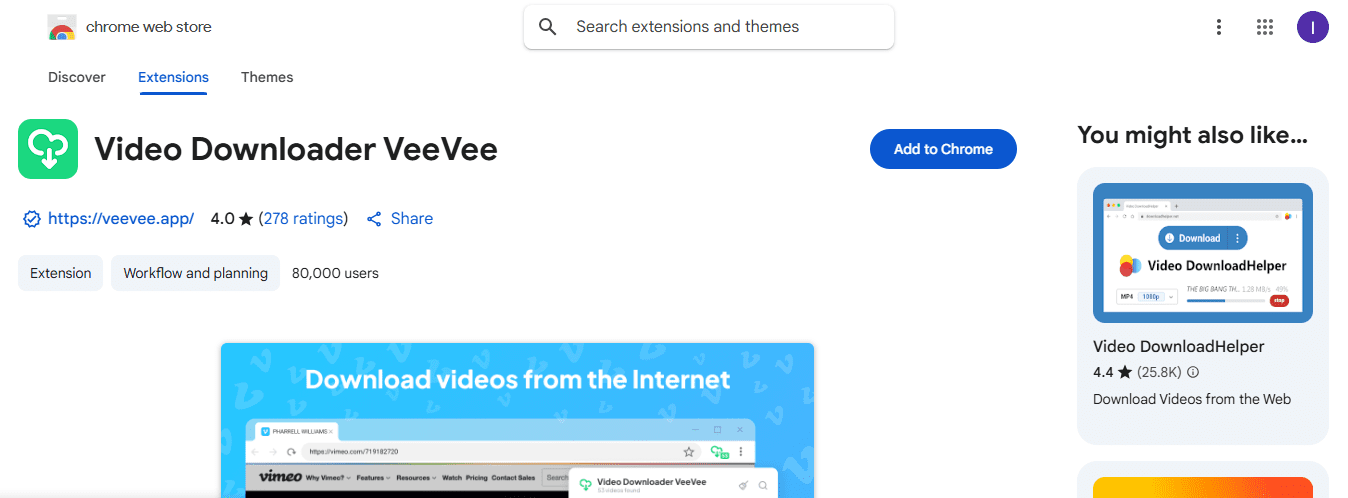
However, in 2026, browser capabilities have evolved. While Download Master is powerful, it requires installing heavy software on your computer. For users who want a fast, lightweight, and browser-native solution—especially for video and audio—VeeVee Video Downloader is the superior modern alternative.
What is Download Master for Chrome?
The Download Master extension for Chrome serves as a connector between your browser and the standalone Download Master desktop software. It does not download files by itself; instead, it intercepts links (like .zip, .exe, or .mp4) and sends them to the installed program on your Windows PC.
Key Features of Download Master:
-
Multi-threaded downloading: Splits files into several parts to maximize speed.
-
Resume capability: Can restart broken downloads after a connection failure.
-
Scheduler: Allows you to start downloads at a specific time.
-
File categorization: Automatically sorts files into Music, Video, Programs, etc.
Why You Might Need a Download Master Alternative
While Download Master is effective for massive files (like 10GB+ archives), it has significant drawbacks for the average user:
-
Requires Desktop Installation: You cannot use the extension without installing the
.exeprogram on your PC. This is impossible for Mac, Linux, or Chromebook users. -
Complex Interface: The software is overloaded with buttons and settings that can confuse casual users.
-
Outdated for Streaming: Downloading video from sites like YouTube, Vimeo, or Instagram often requires complex plugins or doesn’t work smoothly with the classic Download Master.
-
Bundled Software Risks: Older download managers often come with unwanted toolbars or adware during installation.
VeeVee Video Downloader: The Best Modern Alternative
If your main goal is to download videos, music, and media content directly from Chrome without installing suspicious software, VeeVee Video Downloader is the ultimate solution.
Unlike Download Master, VeeVee runs entirely inside your browser. It is lightweight, secure, and designed specifically for capturing media from the modern web.
Why Choose VeeVee Over Download Master?
-
No Extra Software Needed: VeeVee works immediately after adding it to Chrome. No
.exefiles, no installation wizards. -
Universal Compatibility: Works on Windows, macOS, Linux, and ChromeOS.
-
Smart Media Detection: Automatically finds video and audio on the page (including MP4, MP3, WebM) and offers a one-click download button.
-
Safety & Privacy: No bundled adware, no tracking of your file history outside the browser.
Comparison: Download Master vs. VeeVee Video Downloader
| Feature | Download Master | VeeVee Video Downloader |
|---|---|---|
| Type | Desktop Software + Extension | Browser Extension (Native) |
| Installation | Complex (Requires .exe install) | Instant (Add to Chrome) |
| Main Purpose | Large file archives / Software | Video, Audio, Streaming Media |
| YouTube Support | Limited / Often requires updates | Excellent (MP4 & MP3) |
| User Interface | Old-school, complex menus | Clean, One-Click |
| Cross-Platform | Windows Only | Windows, Mac, Linux |
How to Manage Downloads with VeeVee
Switching to VeeVee simplifies your workflow. Here is how to accelerate your media downloads:
-
Install the Extension: Add VeeVee Video Downloader to Chrome from the Web Store.
-
Browse Your Favorite Sites: Go to YouTube, Vimeo, TikTok, or any site with video/audio.
-
Click to Download: The VeeVee icon will turn blue when media is detected. Click it to see a list of available files.
-
Choose Quality: Select your preferred resolution (e.g., 1080p, 4K) or format (MP3 for audio).
-
Done: The file saves directly to your browser’s default download folder—managed by Chrome’s built-in, secure download manager.
FAQ: Download Master & Alternatives
Is Download Master for Chrome free?
Yes, the standard version is free, but it is ad-supported and features a “Pro” paid version. VeeVee is free and focuses on a clean user experience.
Can Download Master save YouTube videos?
It has some capability, but it is often hit-or-miss due to YouTube’s frequent updates. VeeVee is specifically updated to handle YouTube, Instagram, and Twitter video structures reliably.
How do I uninstall Download Master?
You must remove the extension from Chrome AND uninstall the software via the Windows Control Panel. With VeeVee, you simply remove the extension from Chrome, and it’s gone instantly—no leftovers.
Conclusion
If you need to schedule massive software updates or 50GB database files, Download Master is a classic tool that still does the job.
However, for 99% of users who want to download videos, music, and social media clips quickly and safely, VeeVee Video Downloader is the smarter choice in 2026. It manages your media downloads efficiently without slowing down your computer.
Stop struggling with outdated software.
Download VeeVee Video Downloader Free and experience the fastest way to save media on Chrome.